
Special Cards
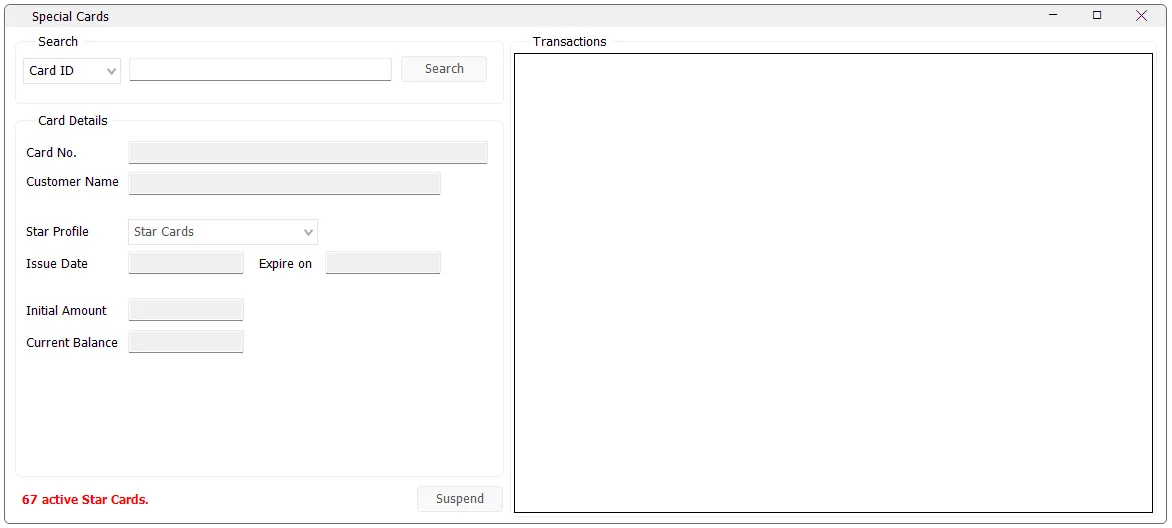
Special Cards maintains stored-value cards used by IMS. The screen lets an authorized user find a card, review its profile and balance, inspect its transaction history, and suspend or reactivate the card.
Find a card
- Enter the card number in the Search area.
- Click Search or press Enter while the search field is active.
- If the card exists, IMS loads its details and transaction history.
The card details show the Card No., linked Customer Name, Star Profile, Issue Date, optional Expiry Date, Initial Amount and Current Balance.
Transaction history
The Transactions area shows activity recorded against the selected card. The displayed columns include invoice date, store, invoice number, transaction type and amount.
Transaction types distinguish balance additions, balance refunds, refunds and sales so the user can see how the current card balance was built over time.
Create and activate a new card
If a searched card number does not exist and at least one Special Card Profile is available, IMS can ask whether you want to create and activate the new card.
A newly created card starts with zero initial amount and zero balance. Funding and customer assignment are then performed through the Sales Transaction workflow.
Suspend or reactivate a card
After loading a card, use Suspend to make an active card inactive. When an inactive card is loaded, the same button changes to Activate. IMS asks for confirmation before changing the status.
The bottom-left indicator shows the current number of active Special Cards.
Special Card Profiles
Profiles define the rules that apply to cards. Administrators maintain them separately in Manage → Special Cards Profiles.