
Manage Statistical Periods
Statistical Periods provide a standardized season/period code used for merchandise analysis across years. The master is assigned to Items and becomes the S. Period dimension used by Main Sales Report, Sell Through and Purchasing Report.
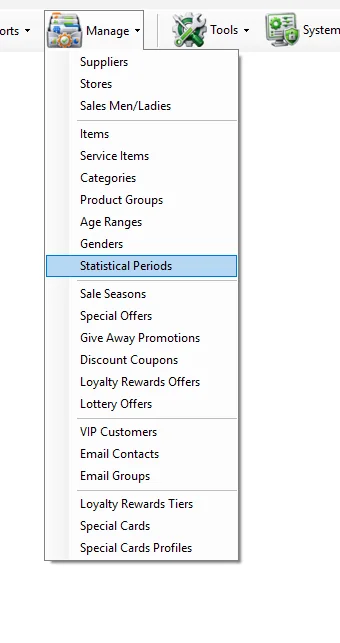
Open the screenManage → Statistical Periods
Fields
| Field | Meaning |
|---|---|
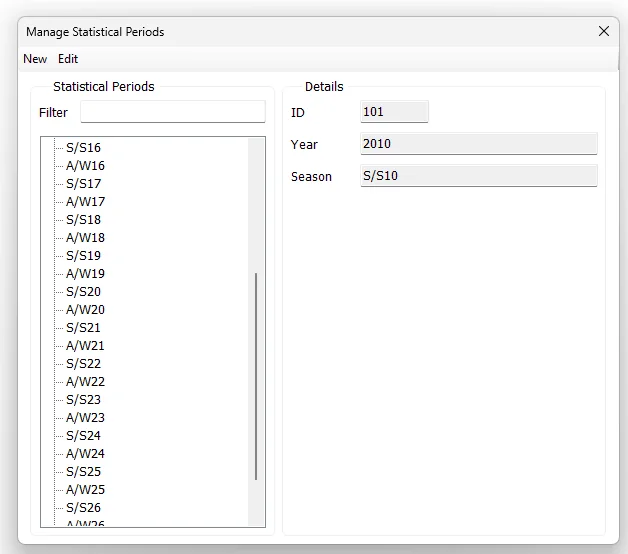
| ID | Unique Statistical Period identifier. |
| Year | Year associated with the Statistical Period. |
| Season | Period/season label displayed in IMS, for example S/S25, A/W25 or S/S26 according to the company's period naming convention. |
Add or edit a Statistical Period
- Click New, or select an existing period and click Edit.
- For a new period, enter a unique ID.
- Enter the Year and Season/period label.
- Click Save.
The Filter field narrows the displayed period list using the configured period label.
Relationship with Items
The St. Period displayed in Manage → Items uses this master. It lets the same period definition follow the item into merchandise reporting.
Where S. Period is used
↗
Main Sales ReportS. Period can be filtered and grouped from the Categories tab.
↗
Sell Through ReportS. Period is a primary merchandise criterion and Group By dimension.
↗
Purchasing ReportS. Period can be selected as a criterion and Group By dimension for received merchandise.
Relationship with Sale Seasons
Each Manage → Sale Seasons policy references one Statistical Period. Entering the St. Period ID in the Sale Season screen retrieves the Season label from this master, keeping sale-policy periods consistent with the period definitions used by Items and reports.